
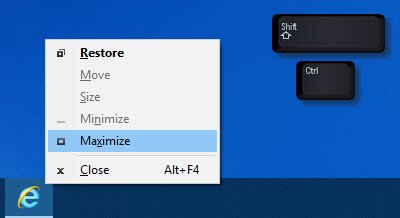
- If a window won’t maximize, press Shift+Ctrl and then right-click its icon on the taskbar and select Restore or Maximize, instead of double-clicking on the icon.
Other Solutions To Try
- Right-click on the desktop, select Refresh.
- Press Win+M keys and then Win+Shift+M keys to minimize and then maximize all windows.
- Press WinKey+Up/Down arrow key and see.
- Press Alt+Space and see if the Maximize/Restore/Minimize, etc, box appears. If it does, use it.
- The last step is to open Task Manager, kill the program process and start it again.
Comments
0 comments
Please sign in to leave a comment.